Features

Everything a booking touches, in one place.

From the first WhatsApp question to the end-of-month report. What is written here is what the product does today — nothing on this page is a promise about a future release.

WhatsApp

Answers on the spot, with your availability and your price.

The guest asks on the WhatsApp number you already use. Glampcloud reads your own units and rates and drafts the answer right there — free dates, price and conditions. The message is only sent after someone on your team approves it. The WhatsApp assistant is part of the Pousada Pro plan.

The exception is stated: the fixed booking-lifecycle notices (confirmed, expired, handed to the team) have wording approved once and go out on their own. And the moment you reply in your own words, the bot pauses that conversation.
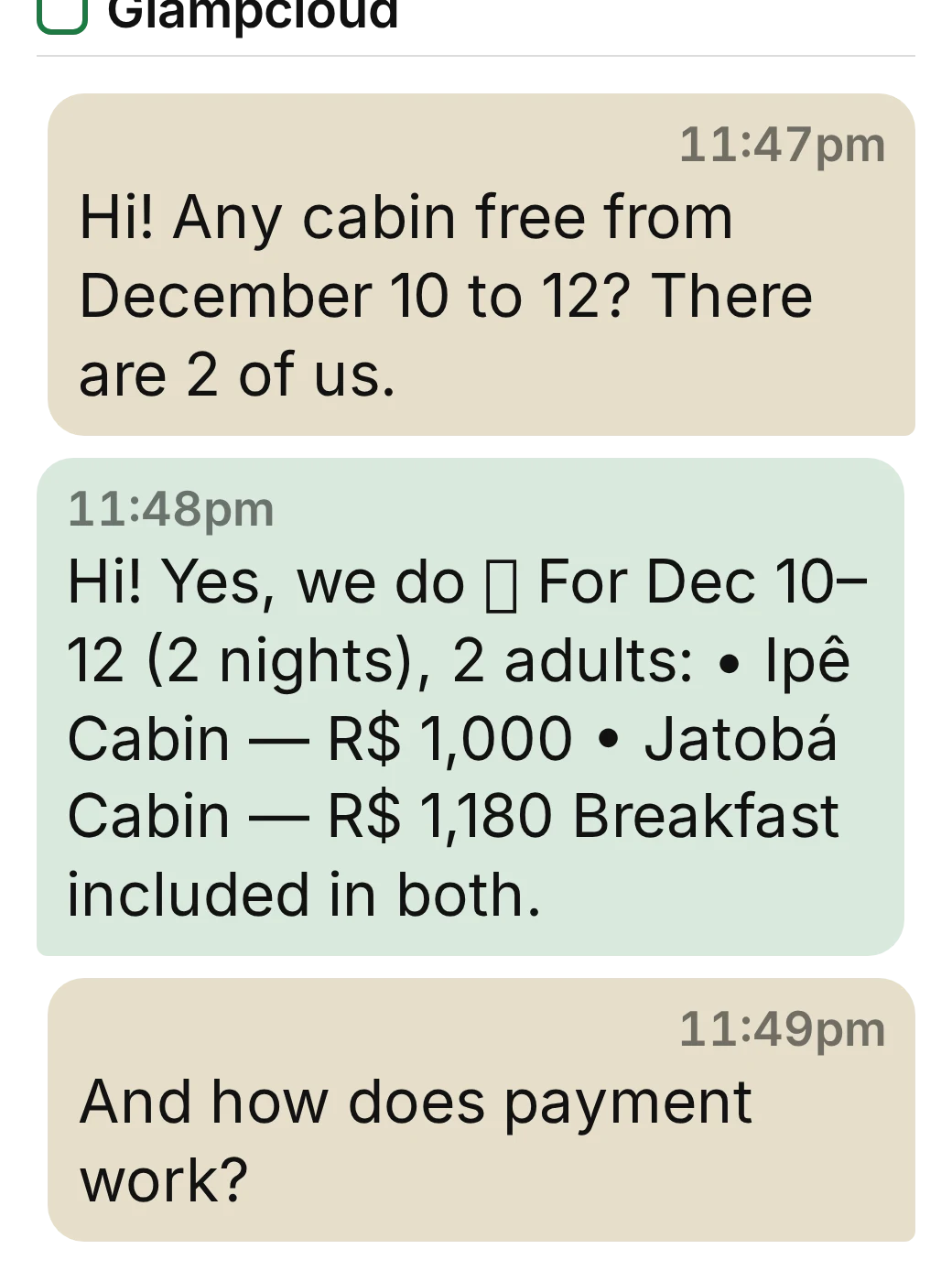
A WhatsApp conversation: the guest asks about dates and Glampcloud replies with the free units, the nightly rate and the total for the stay.

Dashboard

One calendar, and it already knows who has paid.

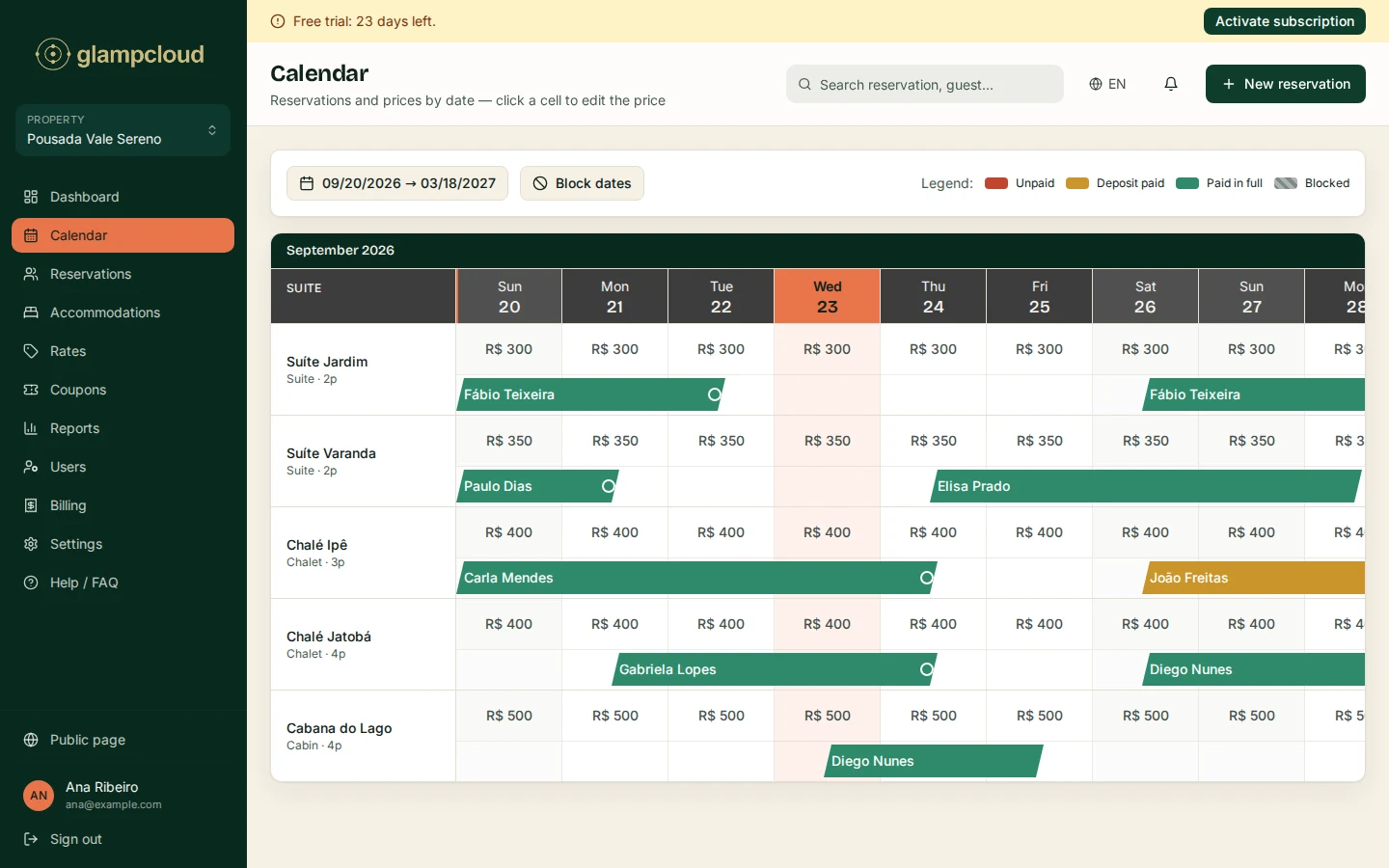
Every unit has its own row on the calendar, and every booking carries its payment state: unpaid, deposit paid, paid in full. Maintenance blocks live in the same place. Finding a booking means typing the code, the name or the guest's email.

A booking that arrives through WhatsApp, through your public page or by hand lands on the same calendar. There is never a second one.

The Glampcloud calendar screen: one row per unit, the price of each day, and bookings as bars coloured by payment state.
The calendar screen, with demo data.

Booking engine

Guests who would rather not chat book on your own page.

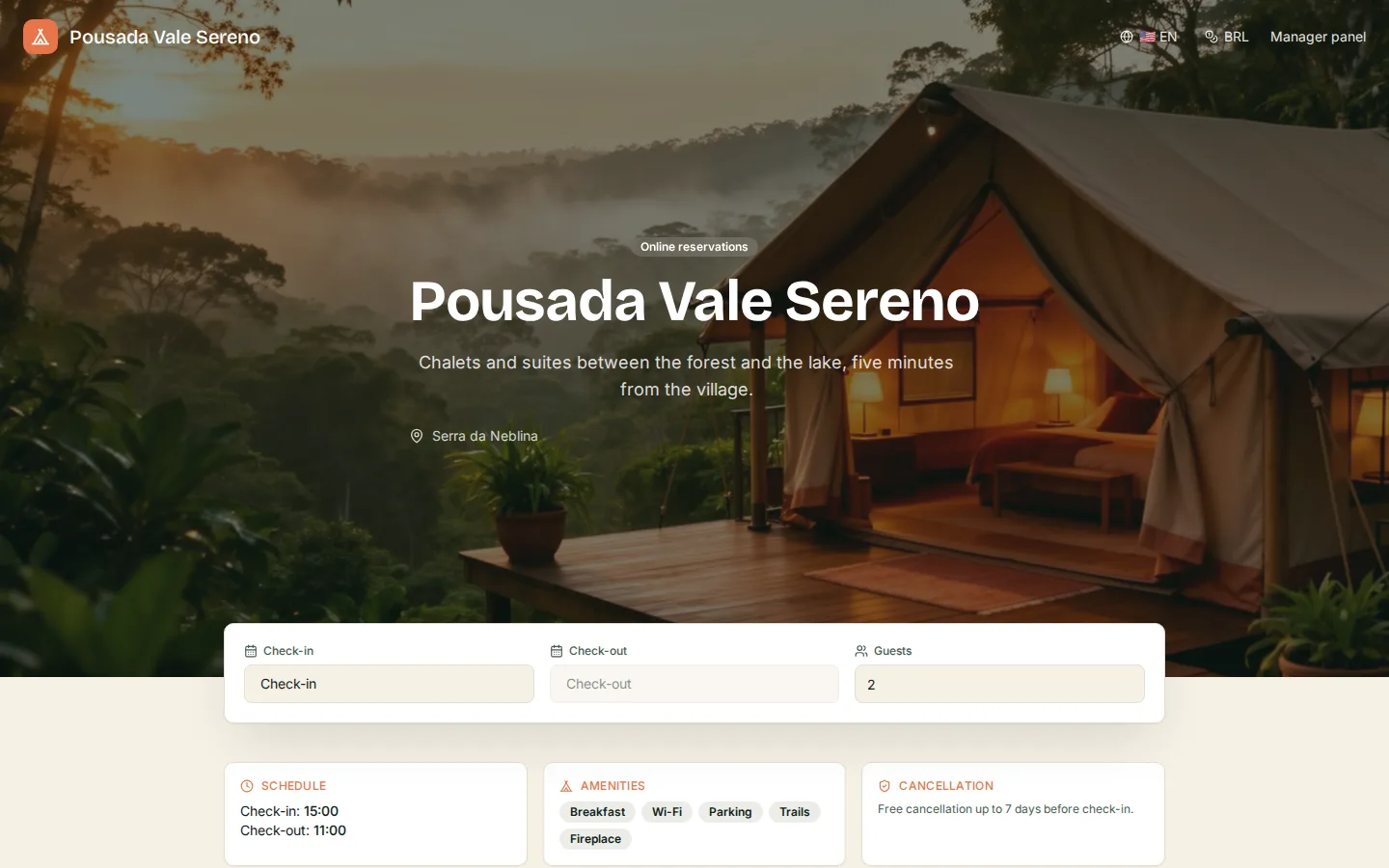
A booking page of your own, with your photos, your units and your prices. The visitor filters by date and party size, applies a coupon, confirms and gets an email with the booking code. Payment is by PIX, arranged after the confirmation.

The page speaks the visitor's language and shows their currency — and it reads the same calendar WhatsApp does.

The public booking page of a property running Glampcloud: a photo of the place, a description, and the search bar with check-in, check-out and number of guests.

The rest of the day

What else is already live.

  • Units

    Set one up and duplicate it. Batch creation is there for when units are identical, and the product goes up to 15 suites per property.

  • Guests

    The guest record is born out of the booking, with contact details and history. It is not a second diary for you to keep.

  • Reports

    Revenue this year, all-time revenue, average occupancy over the last 12 months, and how many confirmation emails went out — as charts and as a table.

  • Discount coupons

    Codes with their own value, switched on and off by you. The booking engine applies them live, in front of the guest.

  • Team

    Owner, administrator and member. Who may edit what is a defined role, not a spoken arrangement.

  • Your spreadsheet comes along

    Migration is a file import: .xlsx, .xls or .csv, with guest name, unit, check-in and check-out. Our team walks through the first load with you.

  • Your property's own face

    Logo, photos, amenities, check-in and check-out times and the cancellation policy come from settings straight onto your public page.

Something missing?

Ask on WhatsApp. If Glampcloud does not do it, that is the answer you will get — not “it is on the roadmap”.

Message us on WhatsApp See pricing and the 30-day trial